

Self-hosted legal pages and privacy controls.
Notabenda generates privacy, cookie and terms pages from your site configuration. Host the HTML yourself and style it with your CSS. The same inventory connects consent controls, permission records and document history.
Developer preview. The packages have not been published to npm yet. Document rendering, build tooling, local consent state, vanilla cookie controls, and version-bound terms agreement work. Broader regional features remain in development. See the current scope and feature status.
Explore the website and documentation or try the examples and your own temporary demo workspace.
Try it
Repository tooling requires Node.js 22.22+ (including the Astro example) and Python 3.9+ for catalog checks. The core package itself supports Node.js 22+.
npm install
npm run dev
Open the local example. It includes privacy, cookie, and supplied terms pages in two themes, using a fictional operator and draft content.
Try live cookie choices: a small permission notice, a user-opened preferences drawer, and synthetic optional services that wait for your choice. Integration guide.
Try terms agreement: an unchecked, version-bound statement with acknowledged storage and readable agreement evidence. Integration guide.
Inspect cookie-choice history: fictional reports tied to the exact notice, purpose choices, document versions and receipt order. Try recorded choices to exercise acknowledged delivery and a required-receipt permission gate. Evidence guide.
npm test                         # build and run implementation tests
python3 scripts/regulatory.py --check
For the project website and isolated Cloudflare demo, run npm run site:dev. See the website guide.
The package can be packed and installed locally. Publishing is a separate step.
npm pack --workspace notabenda --pack-destination /tmp
Try gated media: iframe and image placeholders share one declared service, wait for permission, and return when you withdraw. Integration guide.
Try privacy signals: a labeled GPC simulation restricts declared processing independently of saved cookie choices. Integration guide.
Try recorded processing opt-outs: a separate privacy action, recoverable pending requests and retained restrictions that cookie acceptance cannot remove. Integration guide · Opt-out evidence.
Try retained document versions: a clean deployment serves current terms and keeps the exact prior version at its pinned URL. Release guide.
Bring your own site
After installing the local tarball, create a configuration and preview your documents:
npx notabenda init
# Fill in your facts and supply appropriate terms.
npx notabenda check --preview
npx notabenda build --preview
One config describes the operator, processing purposes, services, storage, retention, rights, and document versions. It produces ordinary static pages, public configuration, and a versioned artifact for your own history/evidence backend.
For guided setup, run npx notabenda wizard or use the setup screen. Describe your processing purposes, review providers and keep private reasons alongside the resulting draft. Unknown legal basis or retention stays unresolved for review. Setup guide.
Use the renderer inside your own layout, too:
import { renderLegalDocument, renderLegalLinks } from 'notabenda';
import 'notabenda/styles.css'; // optional

const privacyArticle = renderLegalDocument(siteConfig, 'privacy');
const legalFooter = renderLegalLinks(siteConfig);
No framework or runtime dependencies are required. The build-time API lives separately at notabenda/content. See the package guide for configuration, rendering, review declarations, and artifacts.
The optional notabenda-authoring build package accepts Markdown and MDX with YAML frontmatter, including your own static components. Publish the HTML and keep source revisions in the authenticated history workspace. Authoring guide · Working example.
For React, import the optional notabenda/react provider, hooks and controls, or notabenda/react/documents for server-rendered legal content. They use the same consent engine. React guide · Live example.
For Astro, packaged .astro components render static legal pages, and notabenda/astro/client keeps controls connected through client navigation. Astro guide · Real Astro example.
Give visitors a clear next step with an optional privacy request page. Supply the actions, scope and links to your actual workflows, plus a public contact. The static page works without JavaScript and shares the same theme tokens. Light example · Midnight example. Request handling belongs to your application.
The scope guard laboratory shows ordinary optional work alongside purposes needing a separate supported process. Scope guide.
Make it yours
Components inherit the host font and expose CSS variables for colors, spacing and layout. You can omit the stylesheet and style the HTML yourself. Examples include light and dark themes.
Public content is escaped, links and routes are checked, and private operator metadata is excluded from generated outputs. Drafts stay visibly marked; production builds reject draft declarations and unresolved placeholders. These checks don't verify that your facts or legal wording are correct.
Evidence and document history
The requirements catalog connects sources to individual obligations, planned features, implementation files, and tests. Regional behavior is recorded item by item. Research, legal review, and implementation have separate statuses.
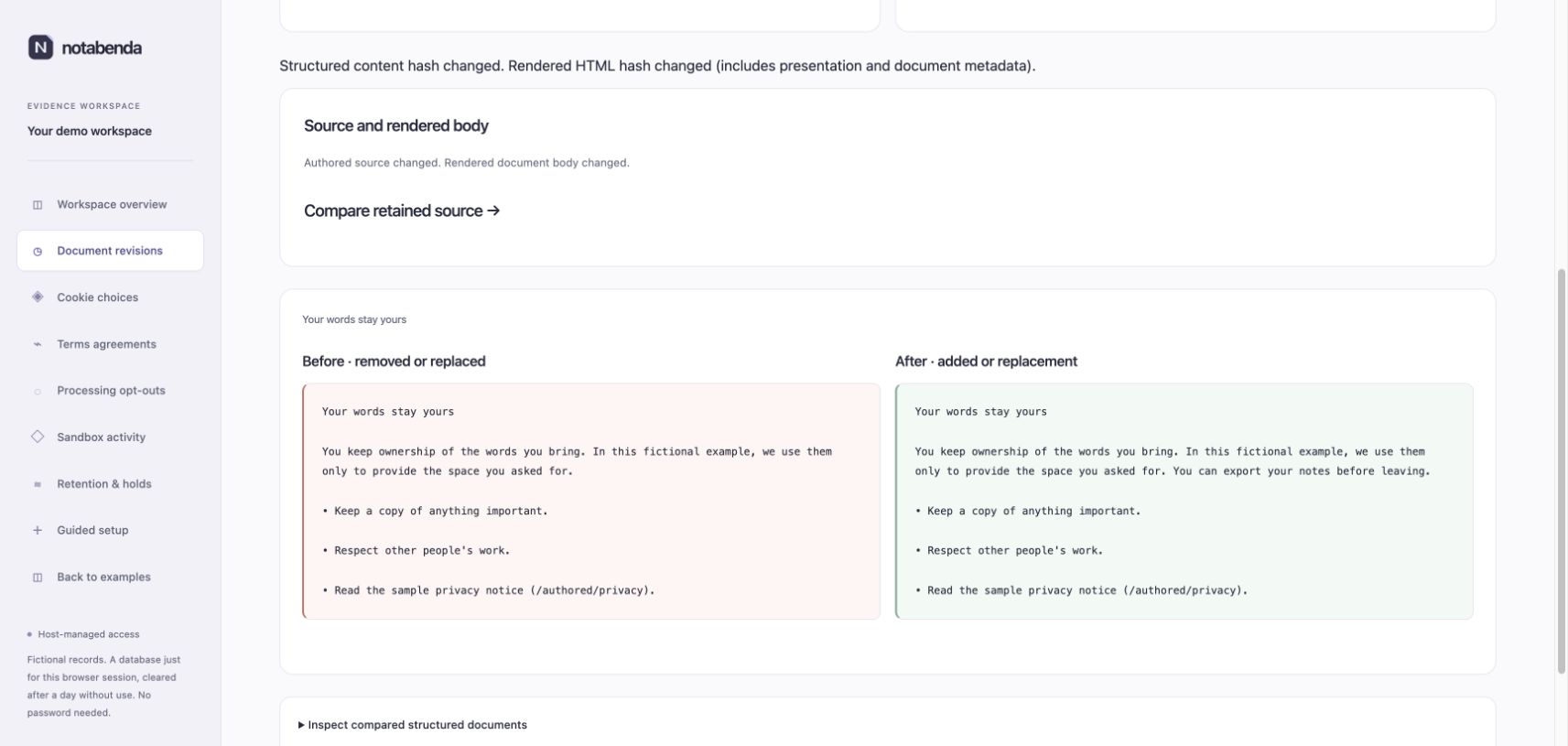
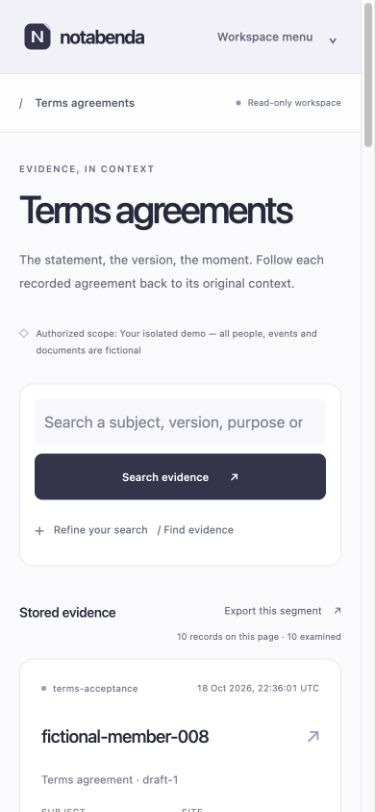
The optional notabenda-cf component adds host-authorized, scoped access to stored evidence and document history. Authentication belongs to your application. The backoffice provides evidence search, record details and policy/terms comparisons. Its Durable Object adapter and history APIs power the website's isolated demo and can be plugged into your own host integration.
Start your own backend with npx notabenda-cf init. It creates a local Worker project with SQLite storage, the admin and guided setup; you supply your existing authorization hook. Nothing is installed or deployed automatically. Cloudflare starter guide.
For stored evidence, lifecycle tools let your backend apply holds, close a context and remove matching payloads in resumable steps. The read-only workspace explains the progress and what remains. Try it through npm run site:dev at evidence lifecycle.
The local example also serves evidence search, document history, and the logo. Those previews use a separate database for this browser session, seeded with fictional journeys. No password; cleanup follows one day without use.
A look at the pages
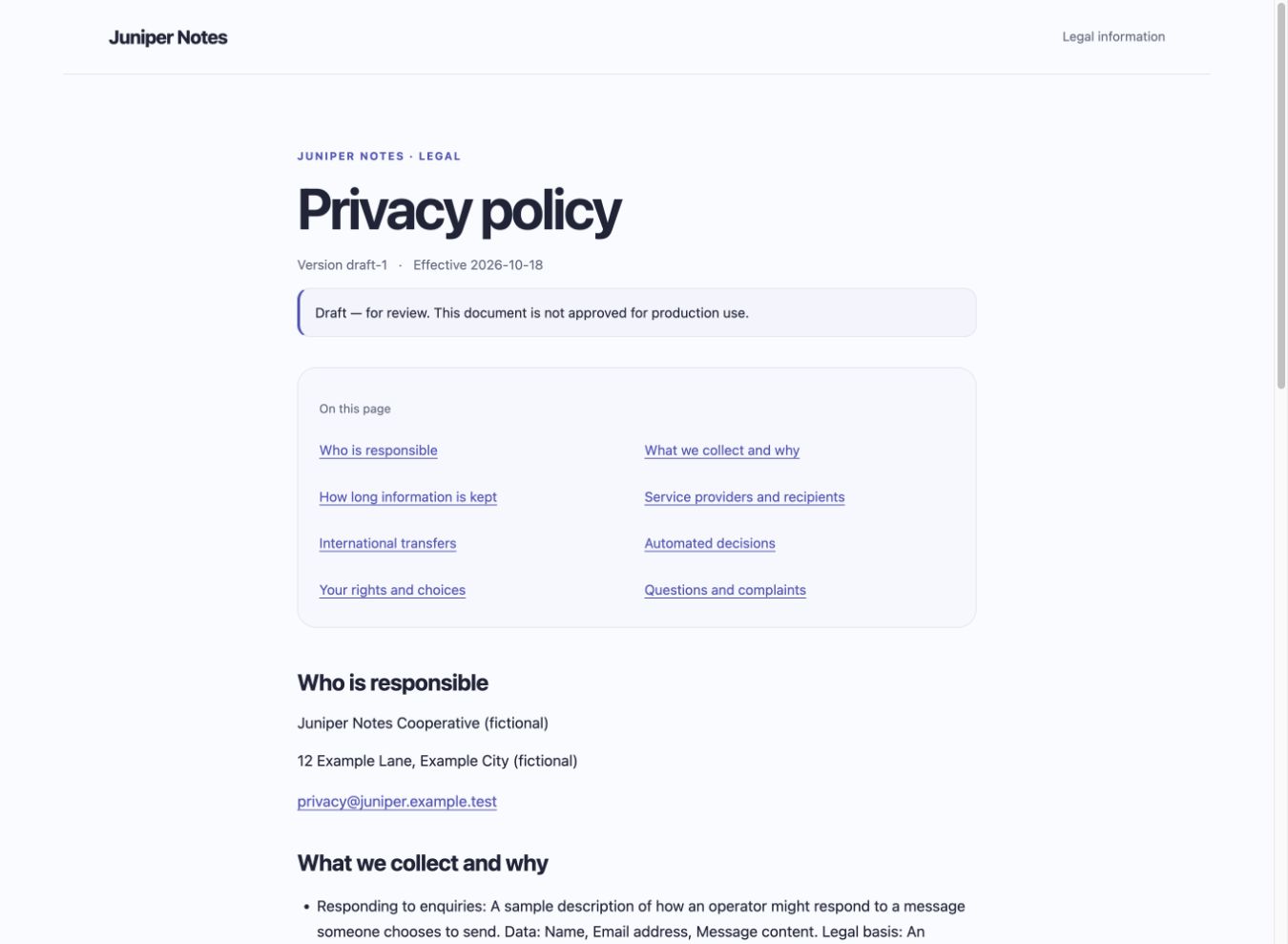
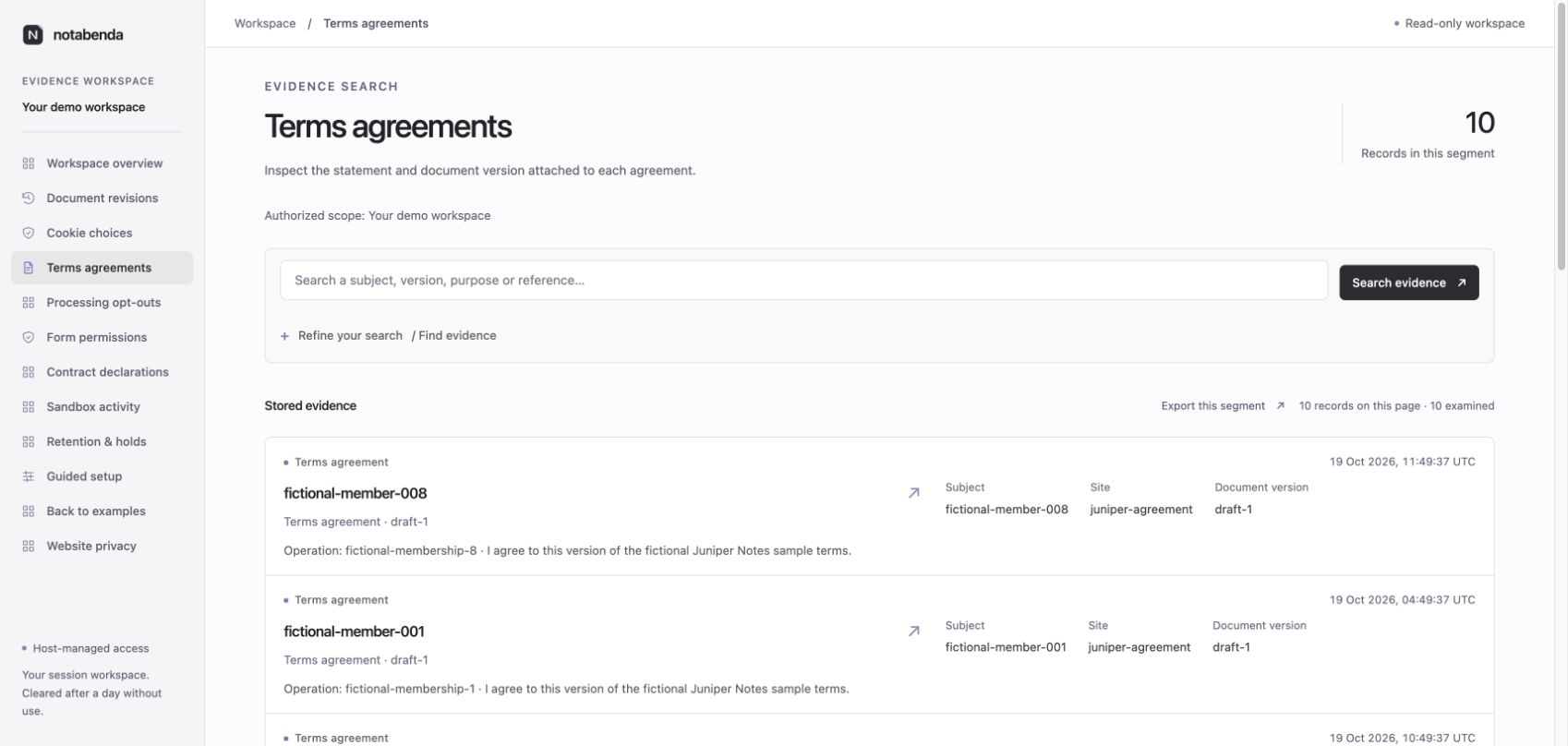
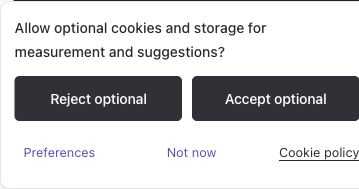
See a policy comparison and evidence search on a phone.
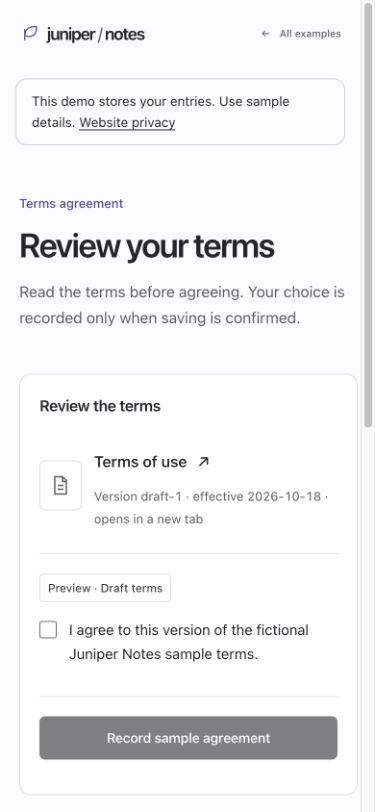
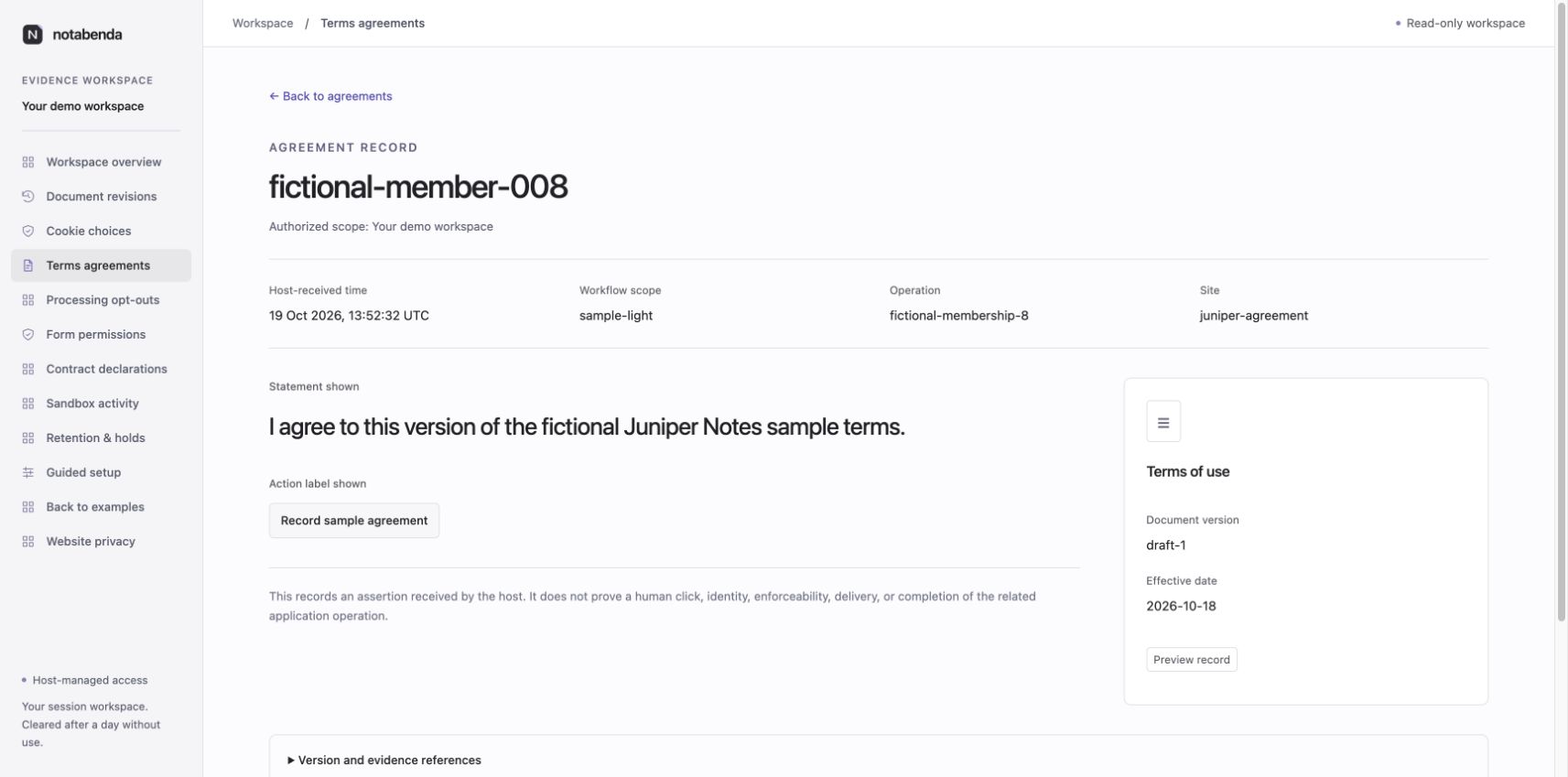
See the recorded agreement context and terms integration guide.
Guided setup
Use the CLI wizard or admin setup screen to work through practices, coverage and justifications. It recommends components and configuration fields, links the requirements, and exports a draft config with a separate private report.
Read more
- Product overview and priorities
- Current scope and decisions
- Architecture and implementation plan
- Requirements, sources, and research workflow
- Brand assets
License
Apache License 2.0. Supplied or separately licensed legal content retains its own licensing and authorship.